The billing work hiding behind a finished ticket
I built an n8n process for the decisions behind maintenance billing: apply a €50 batch threshold, then turn each ticket into an invoice line using Airtable inputs and sevDesk customer records.
My maintenance billing used to take around 25 minutes per client each month. With six clients, that was roughly 2.5 hours of invoice preparation, often pushed into a Friday evening. The tickets were finished, but I still had to reopen them, check the recorded time, and enter the work in sevDesk.
The delay made the job harder. Small tasks waited until they were worth billing together. By then, an invoice could contain work spread across several months. Each batch asked me to reconstruct decisions I had already made while doing the work.
I built the automation around those repeated decisions. Airtable supplies the billing inputs; sevDesk supplies the customer records. n8n connects them on a quarterly schedule.
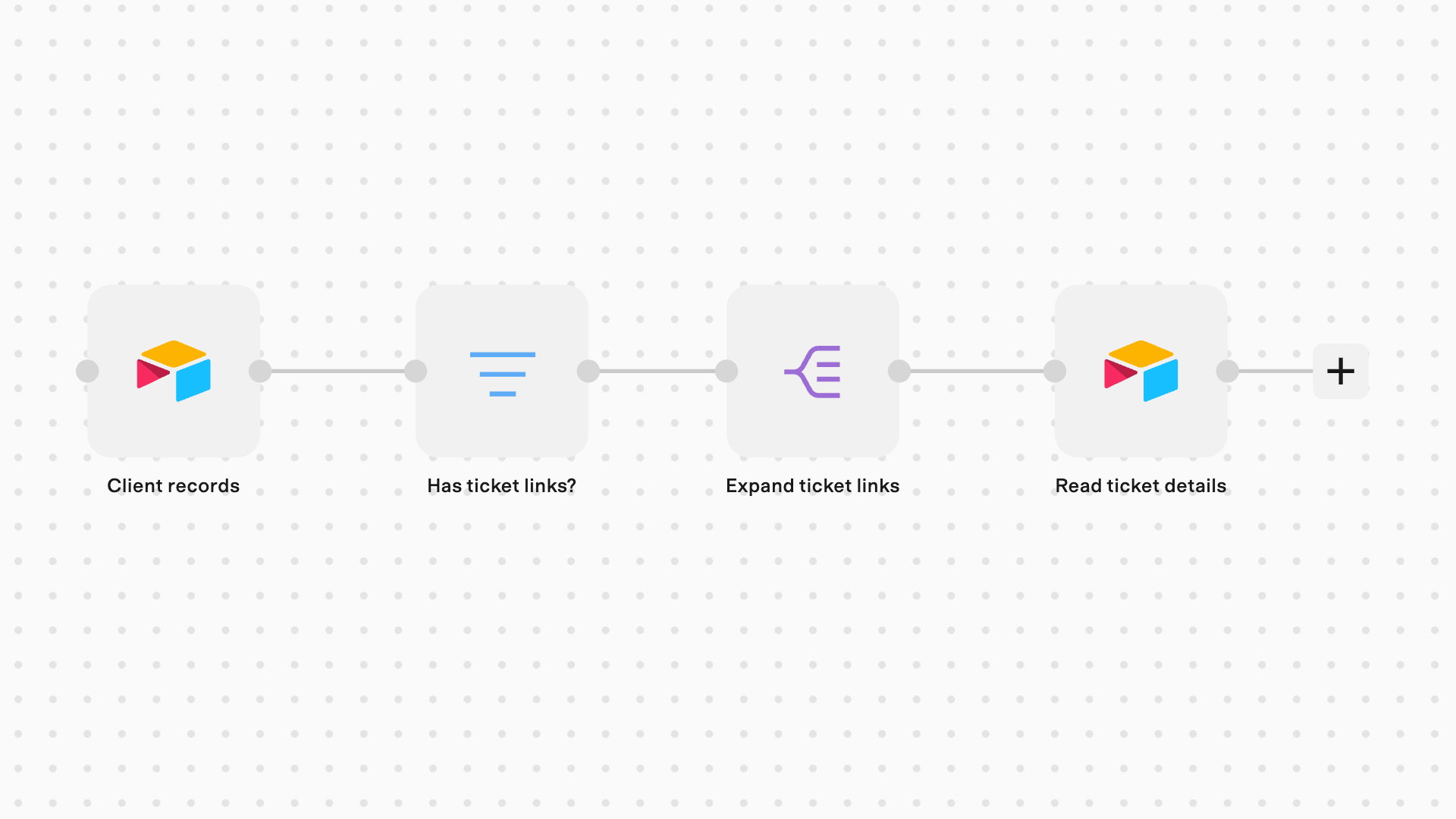
A €50 threshold decides when invoice preparation starts
A minimum invoice value reduces the number of small invoices a client has to process. It also creates a recurring question for me: has enough work accumulated to send one yet?
I made that question a calculation. The workflow selects tickets marked Ready for Payment, totals their recorded time, and calculates the batch value. The linked export continues when that value reaches €50. Tickets below the threshold stop at the filter and remain available for a later check.
The quarterly schedule revisits that rule without a separate reminder. Work can accumulate until the threshold is met, and invoice preparation can then start from the calculation.
The value check multiplies the total tracked time by the first selected ticket's linked hourly rate, then divides by 3,600 and rounds to two decimals. It assumes a shared rate within the batch. The invoice positions retain each ticket's own rate.
One ticket, one invoice line
I keep each selected ticket as its own invoice position so a larger batch preserves the detail of the work.
Every additional ticket uses the same mapping. Its title does not need a separate copy-and-paste step, and its recorded time does not need a manual conversion. The client can still see which work each line covers.
| Invoice field | Ticket input | Mapping |
|---|---|---|
| Description | Task title | Use the task title. |
| Hours | Tracked seconds | Divide by 3,600. |
| Unit price | Linked hourly rate | Use the ticket’s own rate. |
Reuse the customer record
The same principle applies to the surrounding invoice data. The workflow requests the next invoice sequence and retrieves the sevDesk contact and address. It combines those existing records with the configured billing fields instead of asking me to assemble them again.
The invoice creation response supplies the ID used by the email send request. Ticket names also feed the email content. Information collected during the work can carry through to the invoice and its delivery request without being entered a second time.
The build prepares invoice data; savings remain unmeasured
The 25-minute figure is an estimate of my previous manual billing routine. It is not a measured automation saving.
The workflow shown prepares invoice data and requests email delivery when the calculated batch value reaches €50. It does not include a dedicated client-grouping step or a ticket update to Invoiced.
Keep the billing detail attached to the work
This pattern keeps a ticket’s recorded time and rate attached to its invoice line. The €50 gate then decides when invoice preparation starts, using the shared-rate assumption for the batch. The billing rules remain visible in the calculation and the field mapping.
If you adapt the pattern, decide which tickets belong to one client and how a completed invoice marks them as billed. Those choices determine what the next scheduled run picks up. If your team still reconstructs that context by hand, tell me how your tickets reach invoicing.
